👁 79 views
AI agents can now talk to your WordPress site. Here's what that actually means (and what's still missing).
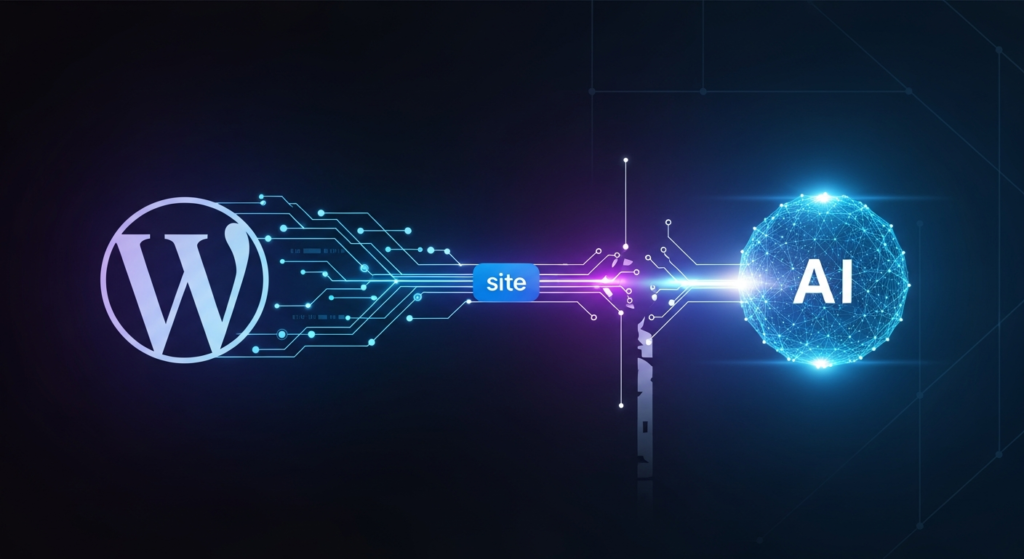
On February 5, 2026, WordPress.com made a significant announcement: an official Claude Connector, making WordPress.com the first WordPress host with a direct integration in Claude's connectors directory. For WordPress site owners interested in AI WordPress automation, this sounds like a game-changer.
And in some ways, it is. But there's a catch that the press releases glossed over — one that matters if you actually want AI to do things on your site, not just observe it.
What Is MCP, and Why Should You Care?
The Model Context Protocol (MCP) is an open standard that lets AI tools like Claude, ChatGPT, Cursor, and VS Code securely connect to external applications. Think of it as a universal translator between AI assistants and the software you use every day.
Without MCP, AI assistants operate in a vacuum. They can give you general advice about WordPress, but they can't see your actual posts, traffic data, or site configuration. You end up copying and pasting data, exporting spreadsheets, and manually bridging the gap between your AI assistant and your CMS.
With MCP, the AI can actually connect to your site. It gets real context. It sees your content, your analytics, your settings. That's a fundamental shift in how useful AI can be for site management.
WordPress.com first announced MCP support back in October 2025, positioning themselves as pioneers in making WordPress "AI-ready." The recent Claude Connector represents the next step — a polished, officially-supported integration that takes minutes to set up.
What the Claude WordPress Integration Actually Does
Once you connect Claude to your WordPress.com site, you can ask questions grounded in your real site data. The official announcement and TechCrunch coverage highlight use cases like:
- "Show me my site's traffic for the last 30 days" — instant traffic insights without logging into dashboards
- "Summarize recent comments across my site" — understand what readers are responding to
- "Which posts haven't been updated in over a year?" — surface stale content that needs refreshing
- "Find posts with broken external links" — catch link rot before your readers do
- "Generate a document reflecting my writing style based on my last 10 posts" — create a style guide for consistency
For content audits and site analysis, this is genuinely useful. You can ask Claude to cross-reference your traffic data with your content calendar, identify engagement patterns, or spot internal linking opportunities — all through natural conversation.
The WordPress Developer Blog goes deeper, explaining how the WordPress MCP Adapter bridges the new Abilities API (introduced in WordPress 6.9) with AI tools. For developers, this opens up possibilities for exposing custom plugin functionality to AI agents.
The Limitation Nobody's Talking About
Here's the part that gets buried in the fine print: the current implementation is read-only.
Claude can query your site data, but it cannot:
- Create new posts or pages
- Update existing content
- Publish drafts
- Install or manage plugins
- Modify themes
- Create WooCommerce products
- Delete anything
As TechCrunch put it: "Claude is given read-only access, meaning it won't be able to alter anything within a user's CMS."
This is a significant limitation. The promise of AI WordPress automation isn't just about asking questions — it's about taking action. The real productivity gains come when you can say "publish this draft," "update all posts in the 'News' category with this disclaimer," or "create a new product with these specifications."
Read-only access is useful. But it's not transformative.
What Full MCP Access Would Look Like
Imagine the workflows that become possible with full CRUD (Create, Read, Update, Delete) capabilities:
- "Publish this draft I've been working on" — instant publishing without switching contexts
- "Create a new blog post based on this outline and schedule it for Tuesday" — AI-assisted content creation with direct execution
- "Update all 47 posts in the 'Guides' category to include our new CTA" — bulk operations that would take hours done in seconds
- "Install Yoast SEO and configure it with these settings" — plugin management through conversation
- "Create a WooCommerce product for this new item with these images and pricing" — e-commerce automation
- "Find all broken internal links and fix them" — not just identification, but remediation
This is the difference between an AI assistant that informs you and one that actually works alongside you.
The Gap in the Market
Here's where it gets interesting.
When WordPress.com announced MCP support in October 2025, they explicitly stated: "Write" access will come next, extending what your assistant can do as well as what it can see."
That was over four months ago. The Claude Connector launched — still read-only. No timeline for write access has been provided.
Meanwhile, the WordPress AI tools landscape isn't standing still. The Abilities API in WordPress 6.9 provides the foundation for registering executable functionality — the infrastructure for write operations exists. Third-party developers have noticed the gap and are building more capable MCP solutions that don't limit AI agents to observation.
WordPress promised the full vision. They delivered the first half. For site owners and developers who want AI that actually helps them do things — not just answer questions — the official implementation falls short.
Where This Leaves WordPress Site Owners
The WordPress MCP ecosystem is evolving rapidly. The official Claude WordPress integration is a solid starting point for site analysis, content audits, and getting AI-grounded insights about your WordPress properties.
But if you're looking for true AI WordPress automation — the ability to manage content, execute updates, and actually take action through AI agents — you'll need to look beyond the official read-only implementation.
The good news: full MCP capabilities with complete CRUD access exist today. Third-party solutions have stepped in where the official implementation stops, offering the write access that WordPress promised but hasn't delivered.
If you're serious about integrating AI into your WordPress workflow, the question isn't whether MCP matters — it clearly does. The question is whether you're satisfied with an AI that can only watch, or whether you want one that can actually help.